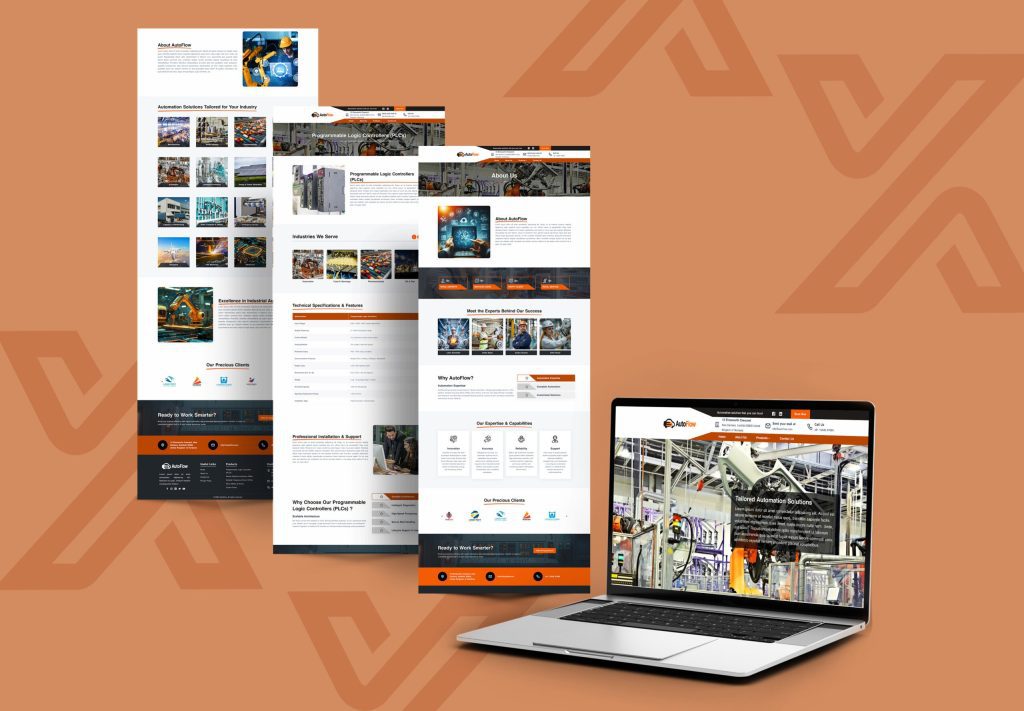
How to Customize a React Website Template Without Starting From Scratch
When customized a React website template without starting from scratch, it is based on pre-built modular components, updating global configuration files (such as Tailwind CSS), and mapping your specific content to pre-existing props and data structures. With production-ready frameworks like React and Next.js, developers and creators can deploy high-performance websites in a fraction of the usual development time, rather than coding layout grids or routing systems manually.
What Will You Learn in This Guide?
Building a modern web application or business site can drain weeks of development hours if you choose to write every single component by hand. Fortunately, utilizing professional pre-built options—such as those available in Themixly’s React Templates collection—allows you to skip the tedious boilerplate setup.
In this guide, you will learn how to navigate an existing React project structure, safely modify styles and layouts, and launch a fully customized website efficiently. Whether you are launching a personal brand using a solution like PortFoliofy – Personal Portfolio Template or establishing an industrial web presence with Mineriq – React Mining Company Website Template, these strategies will streamline your workflow.
Why Choose Pre-Built React Templates?
Starting a project with a pre-configured template offers massive structural and strategic advantages over traditional coding from a blank file.
- Time Efficiency: Quickly start with projects that are validated for production use.
- SEO Optimization: Templates are already optimized with a clean code foundation and speedy loading architecture.
- Mobile Responsiveness: Fluid grids are built-in, offering a seamless appearance throughout all mobile phones, tablets and desktops.
- Cost Effectiveness: Minimises the time and effort required in design and development for agencies and freelancers.
Step-by-Step Guide to Customizing Your Template
Follow these structured steps to adapt a template to your exact brand identity without breaking the core codebase.
Step 1: Analyze the Project Architecture
Before changing any code, explore how the template files are organized. Most modern templates built with React 19+ and Next.js 15+ follow a modular folder pattern.
- components/: Houses reusable UI pieces like buttons, navigation bars, and cards.
- app/ or pages/: Manages individual routing and page structures.
- styles/ or globals.css: Controls global themes, typography, and color variables.
Step 2: Update Global Styles and Brand Colors
Changing the aesthetic identity of your site should always start at the global level. If your template uses utility-first frameworks like Tailwind CSS, you can update color palettes and fonts directly inside configuration files or CSS variables.
- Replace default hex codes with your brand’s primary and secondary colors.
- Swap out typography imports to match your corporate or creative identity.
- Test responsiveness immediately after modifying root layout paddings.
Step 3: Replace Content and Configure Data Props
Instead of hardcoding text inside component files, professional React templates usually manage content through configuration objects or props.
- Locate data arrays (e.g., service lists, team bios, or portfolio items).
- Input your custom copy, images, and links into the existing data structures.
- Check out options like Themixly’s 18+ Best React Templates to see how modular component mapping keeps your files clean and readable.
Traditional Coding vs. Template Customization
| Feature | Starting From Scratch | Using React Templates |
|---|---|---|
| Initial Setup Time | Days or weeks of boilerplate configuration | Ready in minutes |
| UI Consistency | High risk of styling discrepancies | Pre-harmonized design system |
| SEO & Performance | Requires manual optimization setup | Pre-optimized for speed and indexing |
| Maintenance | Higher risk of isolated bugs | Clean, structured, tested codebase |
Best Practices for Maintaining Clean Code
When customizing your template, keeping the codebase organized prevents long-term technical debt.
- Avoid Overriding Core Libraries: Stick to existing component patterns rather than rewriting fundamental framework logic.
- Isolate Custom Components: Place your newly created components in dedicated folders to keep third-party files separate.
- Validate Cross-Browser Compatibility: Test your modifications across Chrome, Safari, Firefox, and Edge.
Frequently Asked Questions
Can I use a React template without advanced coding skills?
It is beneficial to be familiar with some basic concepts in HTML, JavaScript, and React. But templates have modular elements and documentation, so it’s easy to add text, color and images.
Will customizing a template break its SEO performance?
No, provided you keep the semantic HTML tags as you work on your articles, adding H1, H2, H3 headings and descriptive alt attributes for your images.
Are React templates mobile-friendly out of the box?
Yes. Professional templates are created using mobile-first responsive grids that will scale optimally on mobile and tablet devices.
How do I update template styles if it uses Tailwind CSS?
Design tokens can be modified directly in Tailwind’s configuration file, or override utility classes applied directly to JSX components.
Final Thoughts
The best combination of fast deployment and professional website design is customization of a React website template. Instead of starting from scratch, you can invest your effort in updating global themes, mapping clean content props and using pre-built components from sites like Themixly, to roll out a high-performance web application without having to build every piece of it from scratch.